www.BatchAudio.com
|
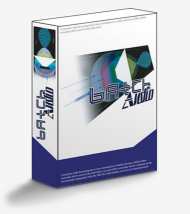
BatchAudio offers
easy to use batch audio conversion tools designed with the needs of professionals
in mind. High quality sample rate and bit depth conversion are provided.
BatchAudio currently supports
fixed-point 16, 24 and 32 bit PCM RIFF WAVE format files offering both a Windows interface and
a command line interface to allow scripted batch conversion. For more details refer to our
products page. A summary of features appears below.
- High-quality sample-rate conversion for arbitrary input and output sampling rates
- Double precision filtering to ensure no loss of quality near saturation at 24 bits
- Ability to specify type and amount of dither required
- Noise shaping of quantisation error (with and without dither)
- Hear through the noise floor with psychoacoustically matched noise shaping
- Can choose to change only sampling rate or only bit depth
 BatchAudio Command Line
1.0 released - 05/05/04
BatchAudio Command Line
1.0 released - 05/05/04 |
| |
Today BatchAudio CommandLine version 1.0 was released. BatchAudio Command Line
offers a command line interface to the core functionality of BatchAudio. This makes
BatchAudio Command Line ideal for use in scripted environments.
Features of BatchAudio Command Line v1.0:
- All the options of BatchAudio in a straightforward console application
- The same core as BatchAudio for high quality professional conversions
- Suitable to be used in scripted operations for large, time-consuming conversions
- Detailed and clear progress output to monitor batch converion process
For more detailed information please refer to our products page.
|
|
BatchAudio 1.0
- 23/04/04 |
| |
BatchAudio 1.0 was released today.
BatchAudio provides:
- Very high quality sample-rate conversion for arbitrary
sample rate ratios
- Very high quality bit depth conversion
- Control the amount and type of dither required
- Noise shape the quantisation error using a choice of carefully
designed noise shaping filters
- Simple, clear and intuitive interface
- Choose to output converted files to a relative location or to
an absolute location making it easy to organise your converted files
For more detailed information please refer to our products page.
|
|
|